
Anika Bajaj
· Updated 19 Jun 2025 · 3 min read
On this page
Referral management is an extension in Zopping that enables you to run a referral program for your online store. Referrals encourage and reward satisfied and loyal customers to refer new customers to your online store. It involves sharing referrals and rewarding those who refer successfully. By leveraging incentives, referral management helps online businesses organically expand their customer base and increase sales.
Why do I need this Extension?
- This extension will help you define a referral bonus for users who will bring footfall to your online store
- This extension will also help you set up a signup bonus for first-time shoppers on your online store.
- The addition of this extension will help you increase initial traction for your website by incentivizing the whole shopping process.
Prerequisites?
Please ensure theCustomer Wallet Support extension is installed and configured on your website.
How do I generate referral codes for my website users?
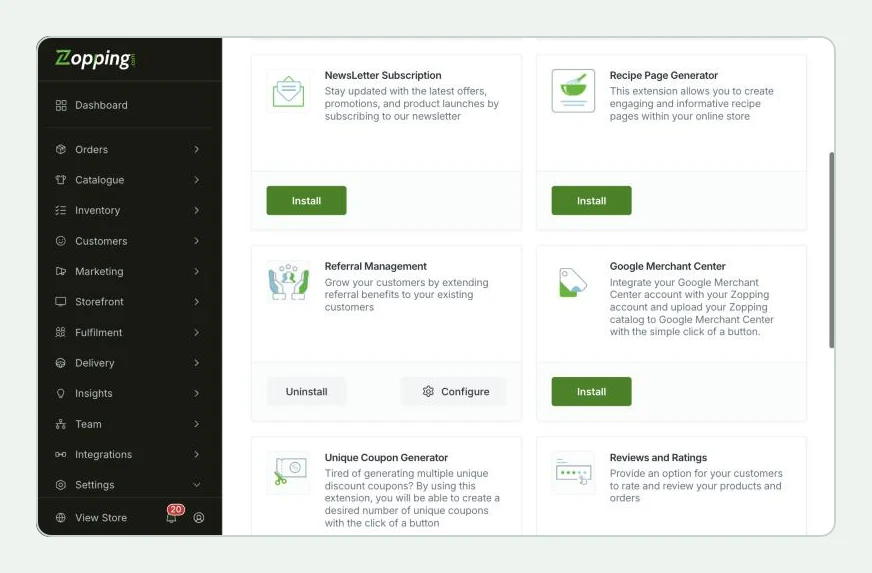
Navigate to the Settings > Extensions > Marketing section. Here you will find the Referral Management extension window as shown below.
Click Install on the window, and add the extension to your website.
After installing the Referral Management extension, navigate to the Extensions > Installed section. You will find the same extension in this window. Click on the Configure option.
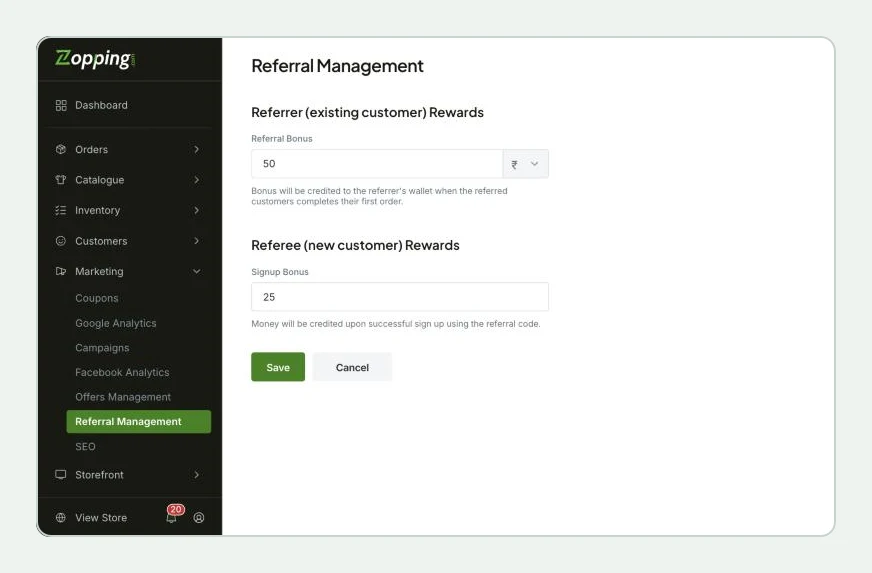
Once you land on the Referral Management page, you will see 2 sections of Referrer and Referee.
- Referee specifies the incoming new customer who is yet to register with the online store.
- Referrer refers to the existing customer whose credentials are already registered with the online store and who wants to refer your online store to his/ her friend/ family.
In the Referrer section, you can add a Referral bonus either in percentage or a flat amount. If you define a percentage, click on the ‘%’ option. When you do so, another option in the same section will appear, named Maximum Limit. This will help you define an upper-limit discount for the referral bonus to be added to the purchase.
Please note that if the referee places an order, and the referral bonus applicable exceeds the percentage limit defined here, the value defined for the Maximum Limit will be prioritized by the system and will be applied at the time of order completion.
In the Referee section, you can add a Signup bonus. This will get credited into the wallet of the referee upon successfully signing up and this money can be used for immediate purchases on your online store.
After adding all the required information, click on Save.
How will this change affect my online store?
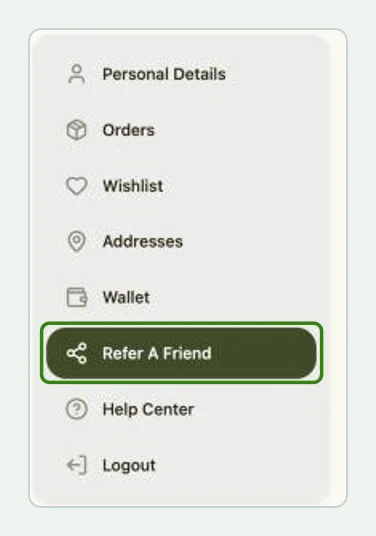
When an existing user logs in to your online store, in the profile section, you will see an option to Refer a Friend.
When the users select this option, a pop-up will open displaying the referral code.

- The user can then send this referral code to any newcomer to the website and they can avail of this discount on their first purchase.
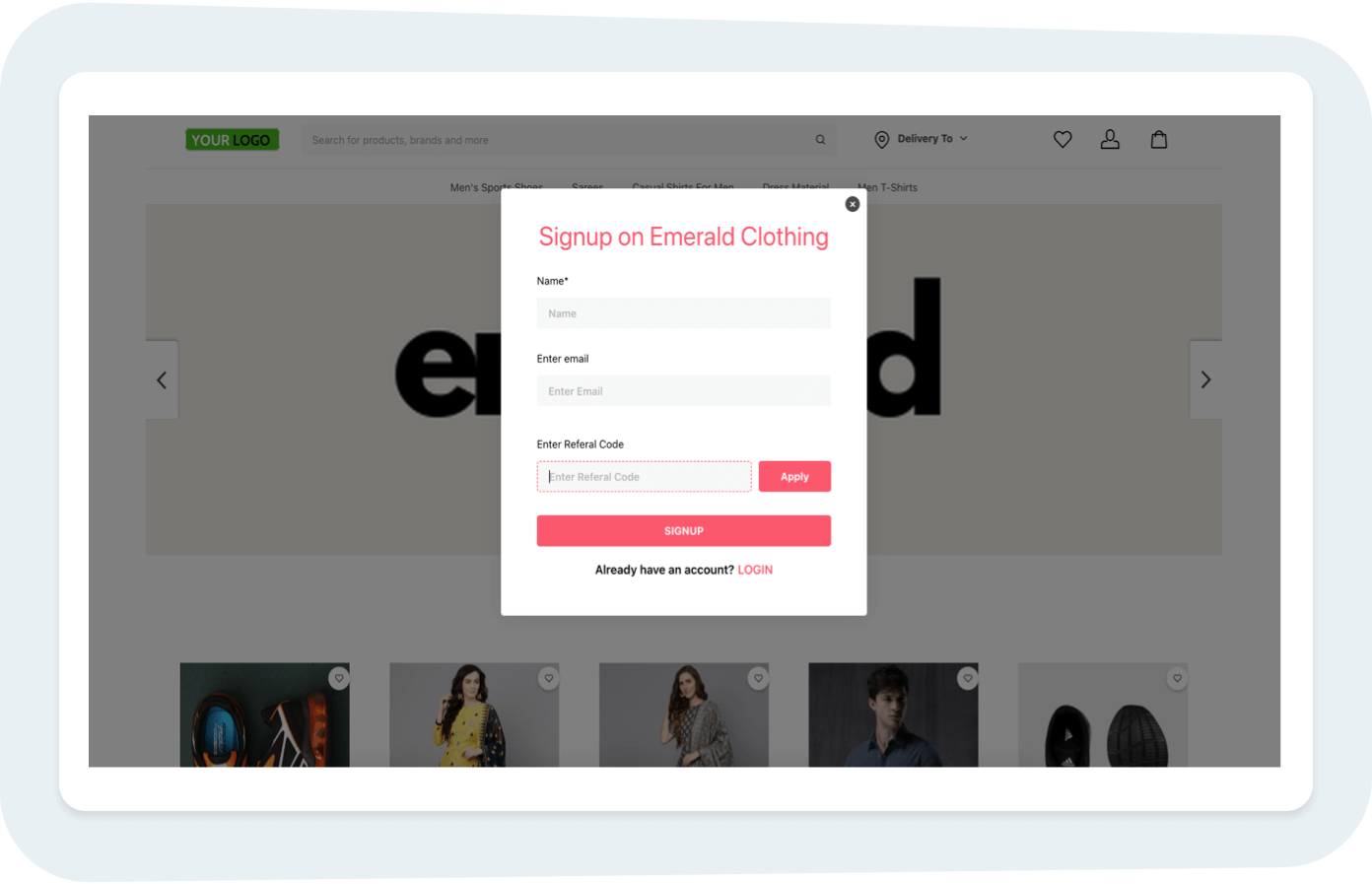
When the newcomer signs up for the first time, an option to enter a referral code will be shown. Here, they can enter the referral code with their credentials and sign up at the store.
Once they sign up, the referral bonus will be reflected in the newcomer’s store wallet. The user needs to go to Profile > Wallet and there will be added credit balance to the wallet, which the user can avail in their purchases.
**Note, **
- A single referral code can be handed over to multiple users. All of their purchases and the subsequent referral bonuses will be credited accordingly.
- The receivers of the referral codes can use their signup bonus preferably on their first purchase
- The referrer will receive their referral bonus only after the referee makes a purchase. The referral bonus should reflect on the referrer’s wallet within a couple of days of the referee’s order completion
What happens when I uninstall this extension?
- Your customers can no longer see their unique referral code.
- New users who sign up can no longer use the referral code.
- Existing cashback in the customer wallet can be continued to be used for future purchases.
Share this article