Books and stationery
A bookshop online, with every title easy to find
Take your bookshop or stationery store online. Every title carries author, publisher, language and ISBN, readers search and filter by them, and you sell from the same stock as your counter.
- Author, publisher and language filters
- ISBN search and barcode billing
- School book sets as bundles
- Back-in-stock alerts for readers
Free forever plan · No credit card required
Counter 1 · scan
9788195244173
The River Remembers
- Price
- ₹399
- Stock
- 3 → 2
What changes
The bookseller’s memory, written into the catalogue
In a bookshop, someone knows the shelf, the edition and who asked for it. Online, that knowledge lives in the catalogue.
TodayA reader asks by author or ISBN, and someone scrolls a spreadsheet.
With ZoppingTitles carry their details. Add author, publisher, language and ISBN as product fields. Make some filters and others searchable.
TodayParents send the school book list on WhatsApp, and staff build each set title by title.
With ZoppingBook lists as bundles. Sell a class set as one product from groups such as textbooks and notebooks, each with a minimum and maximum quantity.
TodayA title sells out, and the reader never hears it is back.
With ZoppingReaders told when it is back. Customers tap notify me on a sold-out title and get an email or app notification when it returns.
TodayThe counter and website keep separate counts, and the last copy sells twice.
With ZoppingOne stock count. Zopping POS bills by barcode scan and sells from the same stock as your website and app.
What you get
Built around how readers look for books
By author, by language, by ISBN or by the school list in their hand.
Catalogue
Every title with its author, publisher and ISBN
Set up book fields once, then fill them per title or in a CSV of thousands of rows. Filter fields show on your store, and searchable fields are matched in search.
- Custom fields such as author, publisher, language, binding and ISBN
- Paperback and hardcover as variants with their own price and barcode
- CSV import that updates existing titles instead of duplicating them
Product fields
5 fieldsSearch and filters
Readers find it by author, language or ISBN
Readers narrow by author, publisher or language, and typing an ISBN brings up the book. Synonyms cover the words people use for the same thing.
- Filters from your own fields, plus brand, price and category
- ISBN and author search through searchable fields
- Synonyms and pinned results for chosen searches
1 result
Search synonyms
School book sets
A whole class book list in one go
Build a bundle per class from products already in your catalogue. Group them into textbooks, notebooks and stationery, and set how many of each a parent may take.
- Bundles built from groups of existing products
- A minimum and maximum quantity for each group
- Coupons with start and end dates for the back-to-school rush
Class 8 book set
Bundle · 3 groups
Shop and website
Scan at the counter, sell the last copy once
Scan the back-cover barcode on Zopping POS. Counter sales and online orders come off one stock count per store, and readers can ask to be told when a sold-out title is back.
- Barcode billing with any USB scanner
- One stock count for counter, website and app
- Notify me alerts by email and app push
Counter 1
ScannedWebsite and app show it as out of stock
Our customers
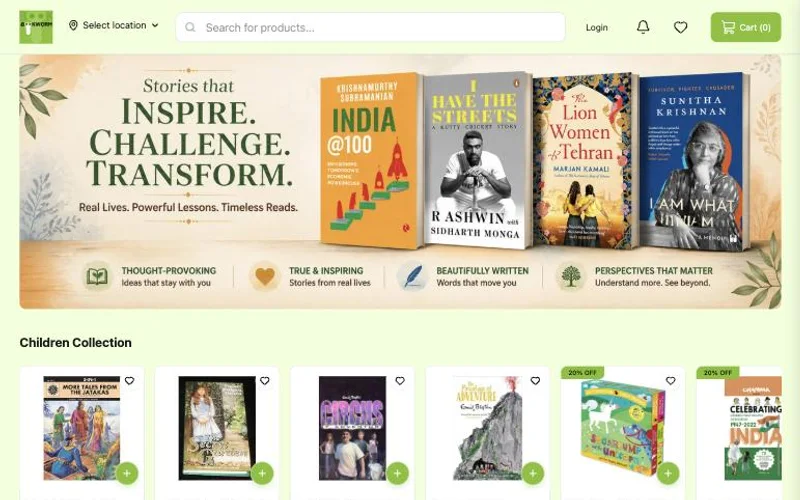
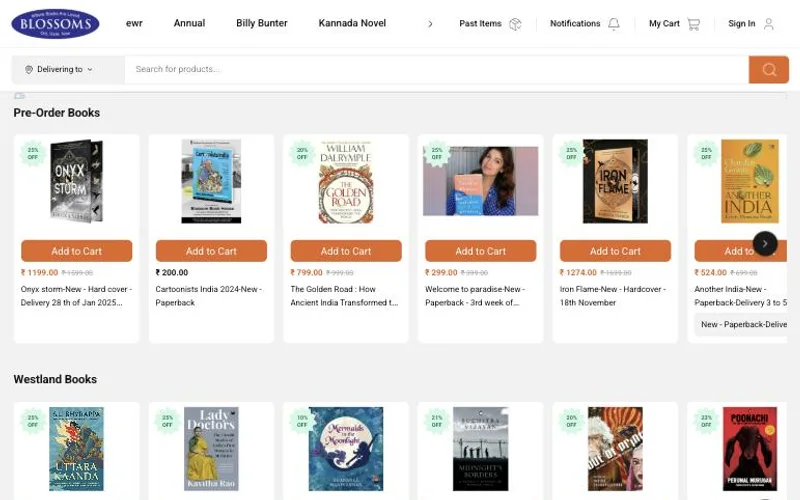
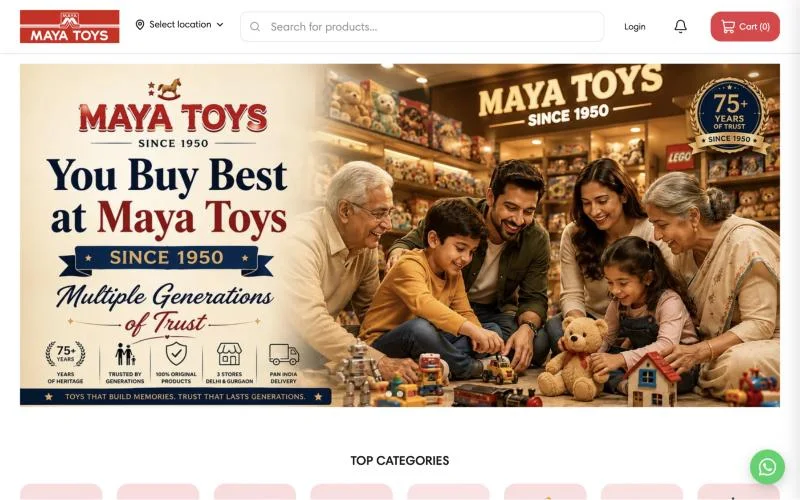
Book stores already live on Zopping
3 book stores selling and delivering on Zopping today. Open any of them to see how it looks to a customer.
How an order moves
From the reader’s search to their doorstep
Every step uses the same title record.
Go deeper
All part of the same Zopping store.
Bookshop questions, answered
Quick answers to what retailers ask most. Can't find yours? Ask our team.
Free forever plan · No credit card required
How do I add author, publisher and ISBN to my books?
Create custom product fields, choosing a type such as text or a list of values. Tick Filter for fields readers narrow by, such as author or language, and Searchable for fields they type, such as ISBN. Fill them per title or by CSV upload.
Can readers search by ISBN?
Yes, once ISBN is a searchable field. Search then matches ISBN as well as title. You can also store the ISBN as the barcode, so it scans at the counter.
How do I sell paperback and hardcover editions of the same book?
Add them as variants of one product. Each variant has its own SKU, barcode, price and stock, and the reader picks the edition on the product page.
Can I sell a school’s book list as one set?
Yes. Create a bundle from groups of items already in your catalogue, such as textbooks, notebooks and stationery, with a minimum and maximum quantity per group. The set goes in the cart as one product.
A title is out of stock. Can readers ask to be told when it is back?
Yes. With notify me on, readers tap the button on a sold-out title. When stock rises past your threshold, Zopping sends an email or app push notification.
I have thousands of titles in a spreadsheet. How do I get them in?
Upload a CSV. Products are matched by ID, then SKU, then name, so a re-upload updates titles instead of duplicating them, and failed rows come back in an error file. Upload covers in bulk, named after each title’s SKU or barcode.
Do sales at my shop counter update the stock on my website?
Yes. Zopping POS sells from the same stock count as your website and app, so a copy sold at the counter is gone online too.
Can I deliver outside my city?
Yes. Use your own riders nearby and courier partners such as Shiprocket for the rest. Set each store’s delivery area by pin code, map polygon or radius.
Take your bookshop online
Tell us what you stock and how you sell today, and we will show you your titles, filters and school sets set up on a Zopping store.